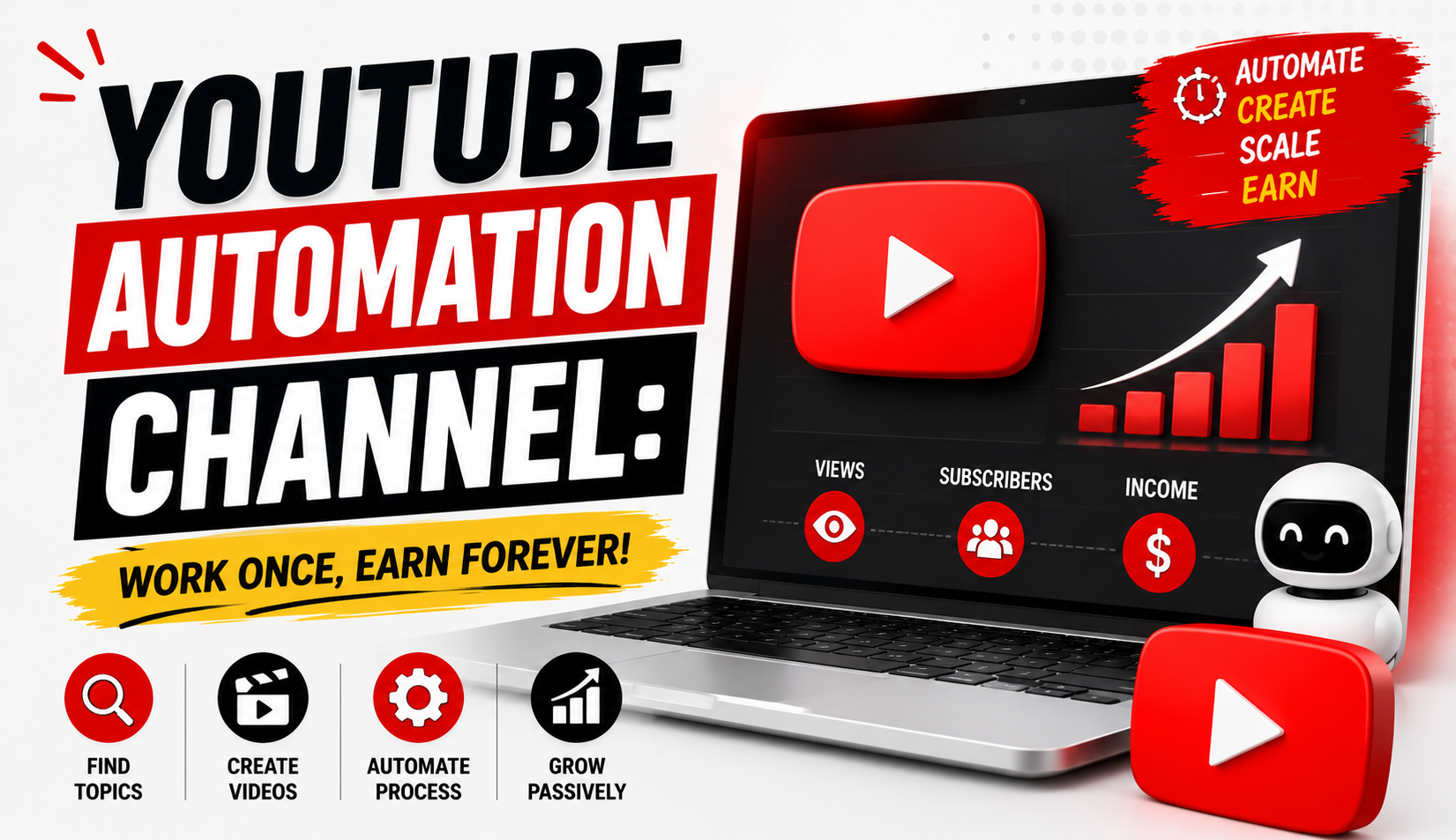

What if you could build a YouTube channel without appearing on camera?
You do not necessarily need to become a full-time presenter, buy an expensive camera, or spend hours recording yourself in front of a studio setup. With the right strategy, you can create educational videos, technology tutorials, documentary-style content, explainers, and other useful videos using voice-over, screen recordings, animations, stock footage where properly licensed, graphics, and original editing.
This approach is often called YouTube Automation, Faceless YouTube, or a faceless YouTube channel.
The concept has attracted thousands of creators because YouTube provides an enormous platform for video discovery. A well-produced video can potentially continue attracting viewers long after it is published.
However, there is an important distinction between building a semi-automated content business and simply uploading videos and expecting passive income.
YouTube automation is not a magic shortcut to guaranteed earnings.
A successful channel usually requires:
- Original ideas
- Useful content
- Consistent publishing
- Strong thumbnails
- Effective titles
- Good audience retention
- Search and topic research
- Quality editing
- Copyright awareness
- Analytics
- Continuous improvement
If your channel becomes eligible for monetization and meets the relevant requirements, advertising revenue can become one potential source of income. But earnings vary considerably and are never guaranteed.
In this guide, we will explore how YouTube automation works, how to create a faceless channel, which niches you can consider, how to produce educational and technology videos, how to create documentary-style content, how to monetize a channel, and how to build a sustainable YouTube business.
What Is YouTube Automation?
YouTube Automation generally refers to a content-production model where some or many parts of running a YouTube channel are systemized, delegated, outsourced, or supported by tools.
The creator may not personally perform every task.
For example, a channel workflow might look like:
Topic Research → Script → Voice-Over → Visuals → Editing → Thumbnail → Upload → Analytics
One person can handle the entire process.
Alternatively, different tasks can be handled by different people.
For example:
- Researcher finds topics.
- Writer creates the script.
- Voice artist records narration.
- Editor assembles the video.
- Designer creates thumbnails.
- Channel manager uploads and analyzes performance.
This is why the term “automation” can sometimes be misleading.
Most successful channels still require human creativity, editorial decisions, quality control, and strategic management.
What Is a Faceless YouTube Channel?
A faceless YouTube channel is a channel where the creator does not normally appear on camera.
Instead, videos can use:
- Voice-over
- Screen recordings
- Animations
- Original graphics
- Charts
- Diagrams
- Demonstrations
- Properly licensed stock footage
- Public-domain material where appropriate
- Original documentary visuals
- Text and motion graphics
For example, a technology channel could record a smartphone tutorial using screen capture.
An educational channel could explain mathematics using animations and digital writing.
A documentary channel could combine original narration with appropriately licensed visuals, maps, timelines, charts, and other supporting material.
You can therefore create useful video content without building your brand around your face.
Why Is YouTube Automation Popular?
There are several reasons creators are interested in this model.
1. You Don't Have to Appear on Camera
Some people are uncomfortable speaking directly to a camera.
A faceless format allows them to focus on:
- Research
- Teaching
- Storytelling
- Editing
- Visual design
2. Production Can Be Systemized
Once you develop a repeatable workflow, creating videos can become more efficient.
For example:
Monday: Research
Tuesday: Scripts
Wednesday: Voice-over
Thursday: Editing
Friday: Thumbnails and publishing
A consistent system can reduce the time required to produce each video.
3. Multiple People Can Collaborate
A growing channel can eventually distribute responsibilities.
This allows the owner to focus on:
- Topic selection
- Quality control
- Strategy
- Analytics
- Business development
4. Videos Can Continue Generating Views
A useful evergreen video can potentially receive views for months or even years.
For example:
“How to Use Excel Pivot Tables”
may continue attracting search traffic because the topic remains useful.
However, this is not guaranteed.
Choose the Right YouTube Niche
Your niche determines the audience you want to attract.
Potential faceless channel niches include:
- Education
- Technology
- Software tutorials
- History
- Science
- Personal development
- Business
- Productivity
- Finance education
- Documentaries
- Geography
- Engineering
- Artificial intelligence
- Career skills
- Language learning
For beginners, choosing a niche where you can consistently generate useful ideas is often more important than chasing the highest theoretical advertising rates.
Educational YouTube Channels
Education is one of the strongest categories for faceless video content.
You can explain:
- Mathematics
- Science
- History
- English
- Computer skills
- Programming
- Digital marketing
- Photoshop
- Video editing
- Excel
- Study techniques
For example, a mathematics channel could publish:
“Class 9 Algebra: Solving Linear Equations”
The video could use:
- Digital writing
- Animated equations
- Voice narration
- Step-by-step examples
The teacher never needs to appear on camera.
Technology YouTube Channels
Technology is another strong category for faceless content.
You can create:
- App tutorials
- Software guides
- Smartphone tips
- Computer tutorials
- AI tool explanations
- Troubleshooting guides
- Product comparisons
- Productivity tutorials
For example:
“10 Useful Windows Features Most Beginners Don't Know”
The video could combine:
- Screen recordings
- Voice-over
- Highlight animations
- Text overlays
- Zoom effects
This format can be highly educational while remaining completely faceless.
Documentary YouTube Channels
Documentary-style channels can explore:
- Historical events
- Famous inventions
- Scientific discoveries
- Geography
- Ancient civilizations
- Business stories
- Technology history
- Natural phenomena
- Infrastructure
- Space exploration
A documentary requires more research than a simple tutorial.
You need to verify facts carefully and create a compelling narrative.
A strong documentary structure might be:
Hook → Background → Main Story → Conflict/Discovery → Key Evidence → Conclusion
Do not simply read information from another website.
Research multiple reliable sources and create your own narrative.
The Importance of Original Content
One of the most important principles in YouTube automation is originality.
Creating a faceless channel does not mean copying existing videos and changing the voice.
Avoid:
- Re-uploading other creators' videos
- Copying scripts
- Using copyrighted footage without permission
- Repeating other creators' narration
- Creating low-effort compilations
- Mass-producing nearly identical videos
Your channel should provide meaningful original value.
This is especially important for monetization because YouTube evaluates channels against its policies and monetization requirements.
YouTube Monetization and Google AdSense
For eligible creators, advertising revenue can be earned through the YouTube Partner Program (YPP).
Google's YouTube monetization system has specific eligibility requirements and policy rules. These requirements can change over time and can also vary by monetization feature.
Therefore, creators should always check YouTube's current official requirements before planning a business around advertising revenue.
Once eligible and approved for relevant monetization features, advertising revenue can become one potential income stream.
However:
Views do not automatically equal guaranteed income.
Revenue can vary based on:
- Audience location
- Content category
- Advertiser demand
- Video format
- Watch time
- Viewer behavior
- Ad availability
- Seasonality
- Monetization status
YouTube Income Is Not Automatically Passive
It is tempting to think:
Upload videos → Get views → Receive money forever
Realistically, the process is more complicated.
You may need to:
- Publish new videos
- Update old content
- Monitor analytics
- Respond to viewers
- Improve thumbnails
- Research new topics
- Correct errors
- Maintain copyright compliance
- Adapt to algorithm and audience changes
A successful channel can become more automated over time, but it still requires management.
A better description is:
Systemized content business with potentially recurring revenue
rather than guaranteed passive income.
How to Start a Faceless YouTube Channel
Starting is easier when you follow a structured process.
Step 1: Select One Niche
Choose one primary topic.
For example:
Technology Tips
Avoid starting with:
Technology + Cooking + Travel + History + Fitness + Gaming
A focused channel gives YouTube and viewers a clearer understanding of what your channel offers.
Step 2: Define Your Target Audience
Ask:
Who is this channel for?
For example:
Beginner Technology Users
or:
Students Learning Mathematics
or:
People Interested in Historical Documentaries
Knowing your audience helps determine:
- Topics
- Language
- Video length
- Presentation style
- Thumbnail design
- Difficulty level
Step 3: Research Video Topics
Do not create videos randomly.
Look for topics that people are genuinely interested in.
You can study:
- YouTube search suggestions
- Existing popular videos
- Google Trends
- Audience questions
- Reddit discussions where appropriate
- Comments
- Forums
- Competitor channels
Do not copy successful videos.
Instead, identify what questions people are asking and create a better or different answer.
Step 4: Create a Strong Video Idea
A good video starts with a clear promise.
Weak:
“Technology Tips”
Better:
“7 Smartphone Settings You Should Change Today”
The second title communicates a specific benefit.
For educational content:
Weak:
“Algebra Lesson”
Better:
“How to Solve Linear Equations Step by Step”
Specificity improves clarity.
Create a Strong Hook
The first few seconds matter.
Instead of beginning with a long introduction:
“Hello everyone, welcome to my channel...”
start with the problem.
For example:
“If your phone battery is draining faster than usual, three settings may be responsible.”
Then explain what the viewer will learn.
A strong opening should answer:
Why should I continue watching?
Write the Script
A good script gives your video structure.
A simple format is:
Hook
Capture attention.
Problem
Explain what the viewer wants to solve or understand.
Main Content
Deliver the information.
Examples
Make the concept easier to understand.
Summary
Review the key points.
Call to Action
Invite viewers to take a relevant next step.
For documentary videos, the structure can be more narrative.
Research Before Writing
For educational and documentary content, research quality matters.
Use credible sources such as:
- Government publications
- Academic institutions
- Scientific organizations
- Reputable books
- Original research papers
- Established news organizations
- Official company documentation
Do not rely on a single source for important claims.
Cross-check information.
This is particularly important for:
- History
- Science
- Health-related topics
- Finance
- Current events
- Technology specifications
Accuracy builds trust.
Voice-Over Options
A faceless channel needs an audio strategy.
You can use:
Your Own Voice
This can create authenticity and personality.
Professional Voice Artist
Useful if you want a consistent professional narration style.
AI-Assisted Voice
AI voice technology can be useful in certain workflows, but creators should ensure that their use complies with the relevant platform rules, licensing terms, and disclosure requirements where applicable.
Regardless of the method, the narration should sound natural and be easy to understand.
Video Editing for Faceless Channels
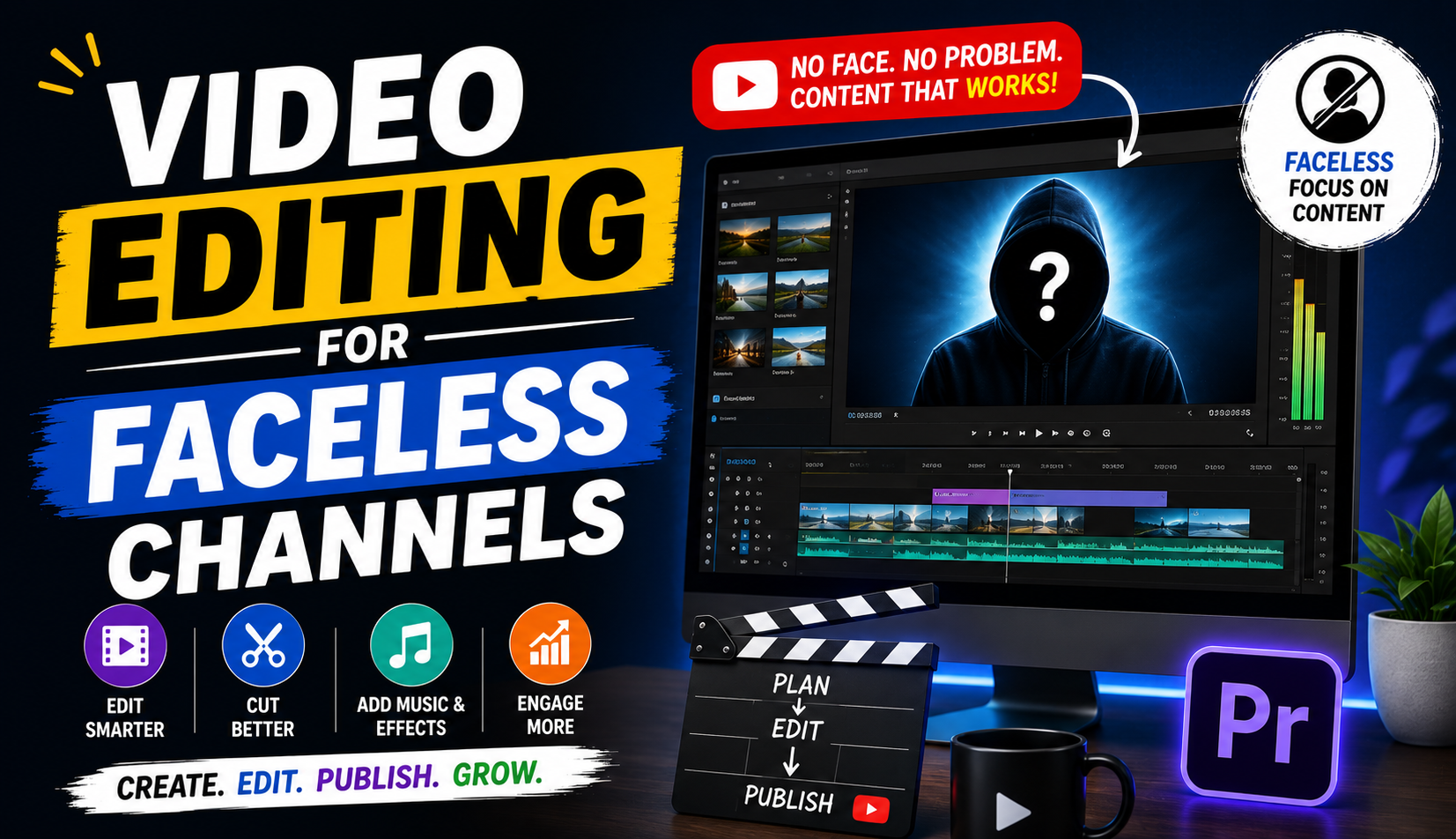
Editing transforms raw narration into a finished video.
A typical educational video might contain:
- Voice-over
- Screen recording
- Text
- Images
- Diagrams
- Animations
- Transitions
- Background music
- Sound effects
But avoid excessive effects.
The purpose of editing is to improve comprehension and retention.
For example, when explaining a software feature, show the feature on screen at exactly the moment you discuss it.
This creates a connection between:
What the viewer hears
and
What the viewer sees.
Use Visuals That You Have the Right to Use
Copyright is one of the biggest risks in automated YouTube channels.
Do not assume that an image or video found through Google is free to use.
Instead, use:
- Your own footage
- Your own graphics
- Properly licensed stock footage
- Properly licensed music
- Public-domain resources where appropriate
- Content for which you have permission
Always read the applicable license.
A “free” resource may still have conditions regarding attribution, commercial use, modification, or redistribution.
Create Better Thumbnails
Your thumbnail is one of the first things potential viewers see.
A good thumbnail should communicate the video's idea quickly.
Use:
- Large readable text
- One clear concept
- Strong visual hierarchy
- Relevant imagery
- Simple composition
Avoid filling the thumbnail with paragraphs.
For example:
“5 Hidden Phone Features”
with a clear smartphone visual may communicate the idea better than a crowded design containing ten different elements.
Write Search-Friendly Titles
A good YouTube title should be:
- Clear
- Specific
- Relevant
- Interesting
- Accurate
Examples:
“How to Edit Videos on Your Phone: Beginner Tutorial”
“10 Excel Functions Every Beginner Should Know”
“The Story Behind the World's Most Famous Bridge”
Avoid misleading clickbait.
A title should accurately represent what the video delivers.
Write Useful Descriptions
Your description can provide additional context.
Include:
- Short video summary
- Important resources
- Relevant links
- Chapters where useful
- Credits
- Disclosures when applicable
Naturally include relevant keywords without stuffing them repeatedly.
YouTube SEO Strategy
YouTube SEO is about helping your videos reach people who are interested in the topic.
Important elements include:
Topic
Choose a subject people care about.
Title
Make the value clear.
Thumbnail
Create visual curiosity without misleading.
Description
Provide useful context.
Audience Retention
Deliver what the title and thumbnail promised.
Engagement
Encourage meaningful interaction.
Viewer Satisfaction
The ultimate goal is to make people want to watch and return.
Do not obsess over keywords while ignoring content quality.
Long Videos vs Shorts
YouTube offers multiple video formats.
Long-Form Videos
These are useful for:
- Tutorials
- Documentaries
- Detailed education
- Reviews
- Explanations
YouTube Shorts
Short-form videos can be useful for:
- Quick tips
- Facts
- Mini tutorials
- Short explanations
- Channel discovery
You can use Shorts to introduce people to your broader content.
For example:
Short:
“3 Excel shortcuts in 30 seconds.”
Long Video:
“20 Excel shortcuts that can save you hours.”
Build an Evergreen Content Library
Evergreen videos remain useful for a long time.
Examples:
- How to use Excel
- How to learn Photoshop
- Basic programming tutorials
- Study techniques
- Historical explainers
- Computer troubleshooting
- Educational concepts
News and trend-based videos can generate short-term interest, but evergreen content can create a more durable library.
A strong channel can combine both.
Use Analytics to Improve
YouTube Analytics provides valuable information about audience behavior.
Pay attention to:
- Impressions
- Click-through rate
- Watch time
- Audience retention
- Traffic sources
- Returning viewers
- New viewers
- Popular videos
Suppose your videos receive many impressions but few clicks.
Your thumbnail or title may need improvement.
If people click but leave quickly, the introduction or content structure may need work.
Analytics can turn guesses into informed decisions.
Don't Chase Views Alone
A video with 100,000 views is not automatically better for your business than a video with 10,000 views.
Consider the quality of the audience.
For example:
A software tutorial may attract 20,000 highly relevant viewers who are interested in a specific tool.
Those viewers may be more valuable to a software-focused business than 100,000 viewers watching a general entertainment video.
Think about:
Audience Relevance > Vanity Metrics
Monetization Beyond AdSense
Advertising is only one potential revenue stream.
A successful channel can potentially earn through:
- YouTube advertising
- Affiliate marketing
- Sponsorships
- Digital products
- Online courses
- Memberships
- Services
- Consulting
- Merchandise
For example, an educational channel about Photoshop could eventually promote:
- Photoshop course
- Design templates
- Affiliate software recommendations
- E-books
- Design services
This can reduce dependence on advertising alone.
YouTube Automation Team
If your channel grows, you can gradually delegate tasks.
A small team might include:
Researcher
Finds topics and gathers information.
Scriptwriter
Turns research into a compelling script.
Voice Artist
Records narration.
Video Editor
Creates the final video.
Thumbnail Designer
Creates thumbnails.
Channel Manager
Handles uploads, optimization, and analytics.
You do not need all these people at the beginning.
Start with a simple workflow.
Delegate only when the channel generates enough value to justify the cost.
How Much Does YouTube Automation Cost?
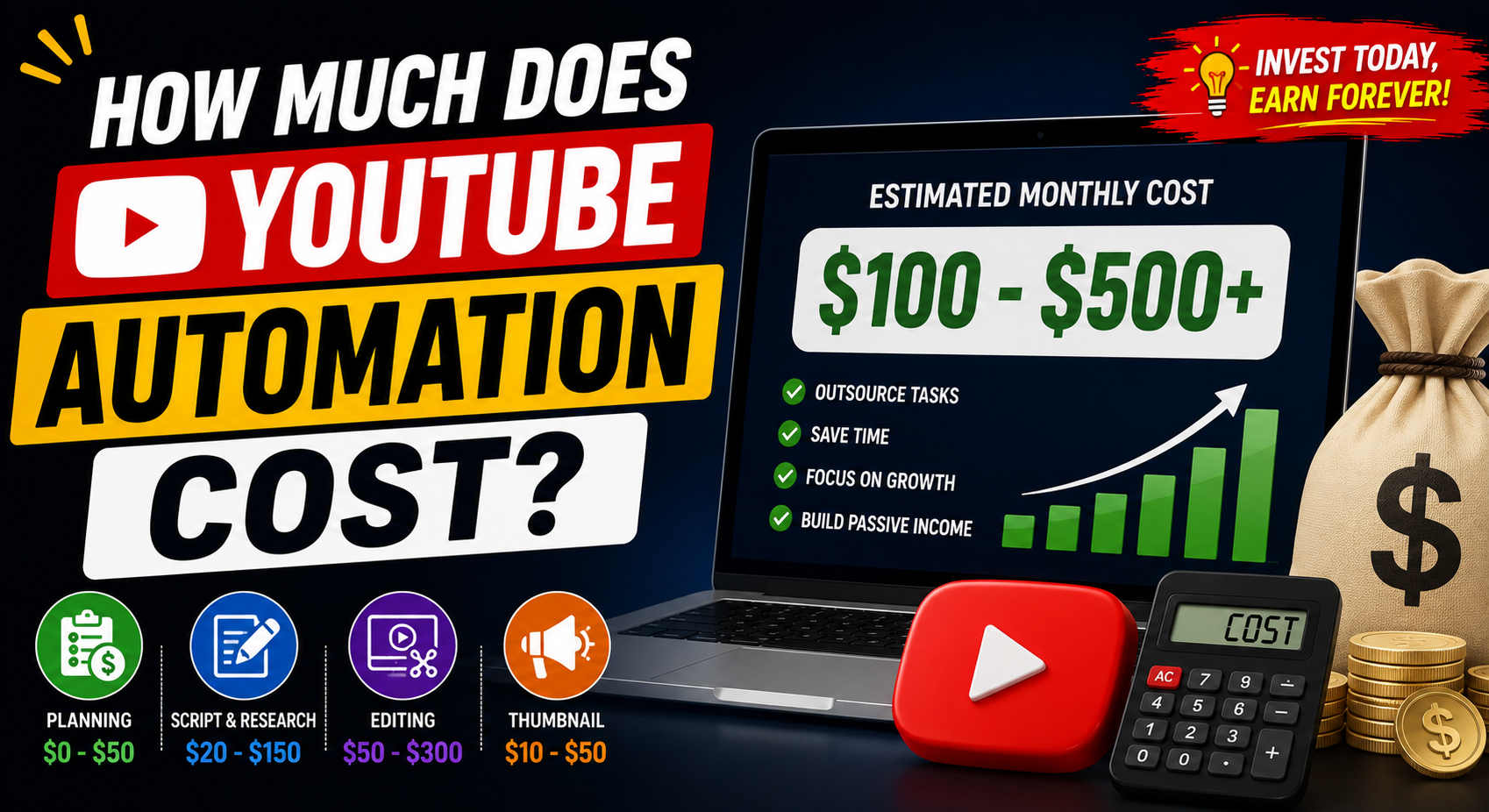
There is no fixed cost.
You can start with almost no production budget if you do everything yourself and use tools you already have.
Costs can increase when you hire:
- Writers
- Voice artists
- Editors
- Designers
- Researchers
You may also pay for:
- Editing software
- Design software
- Stock libraries
- Music licenses
- Storage
- Other production tools
The best approach is to start lean.
Prove that people want your content before spending heavily on outsourcing.
A 30-Day Faceless YouTube Plan
Here is a simple beginner roadmap.
Week 1: Research
Choose your niche.
Research 30 potential video topics.
Select the best 5–7 ideas.
Week 2: Production
Write scripts.
Record narration.
Collect or create visuals.
Edit your first videos.
Week 3: Publishing
Publish consistently.
Create strong thumbnails.
Optimize titles and descriptions.
Week 4: Analysis
Review performance.
Identify which topics attract viewers.
Study audience retention.
Improve your next videos based on the data.
Do not expect massive results after 30 days.
The purpose of the first month is to build a system and learn.
Common YouTube Automation Mistakes
Mistake 1: Copying Other Channels
Copying can create copyright problems and does not build a unique brand.
Solution: Use successful videos as research, not templates to duplicate.
Mistake 2: Low-Quality AI Content
Automatically generating large amounts of generic content can result in poor viewer experiences and may create monetization challenges.
Solution: Use tools to assist production while maintaining human editorial judgment and originality.
Mistake 3: Poor Narration
Robotic or difficult-to-understand narration can reduce viewer retention.
Solution: Prioritize clear, natural audio.
Mistake 4: Weak Thumbnails
Even a great video can struggle if viewers do not click.
Solution: Test stronger thumbnail concepts.
Mistake 5: Clickbait
Misleading viewers may generate clicks but can hurt satisfaction and retention.
Solution: Make accurate promises.
Mistake 6: Uploading Random Topics
A channel without a clear audience can be difficult to grow.
Solution: Build around a recognizable niche.
Mistake 7: Expecting Instant Passive Income
YouTube generally requires time to build an audience.
Solution: Focus on creating a valuable content library.
How to Make YouTube Automation More Sustainable
The long-term goal should not be to upload as many videos as possible.
It should be to build a repeatable quality system.
Create a standard operating process:
Topic Research
↓
Content Brief
↓
Script
↓
Fact Checking
↓
Voice-Over
↓
Visual Production
↓
Editing
↓
Thumbnail
↓
Quality Control
↓
Publishing
↓
Analytics
This system makes it easier to maintain consistent quality as your channel grows.
The Role of AI in YouTube Automation
AI tools can assist with many parts of video production.
For example, AI can help with:
- Brainstorming topics
- Creating outlines
- Organizing research
- Generating draft scripts
- Transcription
- Caption creation
- Editing assistance
- Thumbnail concepts
- Voice workflows
But AI should be treated as a tool, not a replacement for originality and editorial responsibility.
Always verify factual information.
Do not publish AI-generated claims without checking them.
Do not use AI to mass-produce low-value videos simply because production is easy.
The goal is:
AI-assisted efficiency + human creativity + original value
Build a Brand, Not Just a Channel
A successful YouTube channel is more than a collection of videos.
Build recognizable elements such as:
- Channel name
- Logo
- Thumbnail style
- Intro style
- Narration style
- Visual identity
- Topic focus
If someone sees your thumbnail without reading the channel name, they should gradually recognize your style.
Consistency creates familiarity.
Final Thoughts
YouTube Automation can be an interesting way to build a digital content business without appearing on camera.
You can create educational tutorials, technology tips, software guides, documentary-style videos, explainers, and many other types of content using voice-over, screen recordings, graphics, animations, and appropriately licensed media.
But the biggest misunderstanding is that automation means “do nothing and earn money.”
It does not.
A successful faceless channel requires:
Research.
Original ideas.
Good storytelling.
Useful information.
Quality production.
Strong thumbnails.
Consistent publishing.
Analytics.
Patience.
Advertising revenue through the YouTube Partner Program can become one potential source of income after meeting the applicable requirements, but it is not guaranteed.
The creators who build sustainable channels generally focus on their viewers first.
They ask:
What problem can I solve?
What can I teach?
What story can I tell?
Why should someone watch this video?
How can I make the next video better?
If you can consistently answer those questions, you have the foundation for a real YouTube business.
Start with one niche.
Create a small number of high-quality videos.
Learn what your audience responds to.
Build a repeatable production system.
Then scale carefully.
The goal is not simply to automate video uploads.
The goal is to build a valuable library of original content that people genuinely want to watch.
Frequently Asked Questions About YouTube Automation
1. What is YouTube Automation?
YouTube Automation is a systemized approach to running a YouTube channel where tasks such as research, scripting, narration, editing, thumbnails, publishing, or analytics may be organized or delegated rather than completed entirely by one person.
2. Can I make a YouTube channel without showing my face?
Yes. Educational, technology, documentary, tutorial, and explainer channels can use voice-over, screen recordings, animations, graphics, and other appropriate visuals instead of an on-camera presenter.
3. Can a faceless YouTube channel make money?
Yes, a faceless channel can potentially generate revenue if it qualifies for applicable monetization programs and complies with platform policies. Income is not guaranteed and varies significantly between channels.
4. Does YouTube automatically pay for every view?
No. Not every view generates advertising revenue. Monetization depends on eligibility, ad availability, audience factors, content suitability, and other conditions.
5. Do I need Google AdSense?
For applicable YouTube advertising payments, creators use Google's payment infrastructure associated with AdSense as required by the relevant YouTube monetization setup. The exact process and requirements should be checked through YouTube's current official documentation.
6. Can I use AI to create YouTube videos?
AI can assist with research, scripting, editing, voice workflows, and other production tasks. However, creators should ensure that their content is original, useful, accurate, and compliant with YouTube's current policies.
7. Can I use stock footage?
You can use stock footage when you have the appropriate license or permission. Always read the specific license terms before using media commercially.
8. How long does it take to grow a YouTube channel?
There is no guaranteed timeline. Some channels grow quickly while others take months or years. Topic selection, content quality, consistency, audience demand, packaging, and viewer satisfaction can all influence growth.
9. What is the best faceless YouTube niche?
There is no single best niche for everyone. Education, technology, software tutorials, documentaries, science, history, productivity, and other categories can work, but success depends heavily on audience demand and content quality.
10. Is YouTube Automation passive income?
Not completely. Some tasks can be systemized or delegated, and older videos can continue generating views, but successful channels still require ongoing management, content development, optimization, and quality control.
SEO Keywords
Primary Keyword: YouTube Automation
Secondary Keywords:
- YouTube automation channel
- faceless YouTube channel
- how to start YouTube automation
- YouTube automation for beginners
- make money with YouTube
- faceless YouTube channel ideas
- educational YouTube channel
- technology YouTube channel
- documentary YouTube channel
- YouTube passive income
- YouTube Partner Program
- YouTube AdSense earnings
- YouTube automation business
- how to create a faceless YouTube channel
- YouTube channel monetization
- YouTube video automation
- AI YouTube automation
- faceless YouTube business
- YouTube SEO
- YouTube content creation
Suggested SEO Meta Title
YouTube Automation: How to Build a Faceless Channel & Earn Online
Suggested Meta Description
Learn how to start a faceless YouTube channel with educational, technology, and documentary videos. Discover content creation, YouTube SEO, monetization, automation, and growth strategies.
Suggested URL Slug
/youtube-automation-faceless-channel/
Suggested Featured Image Title
YouTube Automation: Build a Faceless Channel & Earn From Video Content